


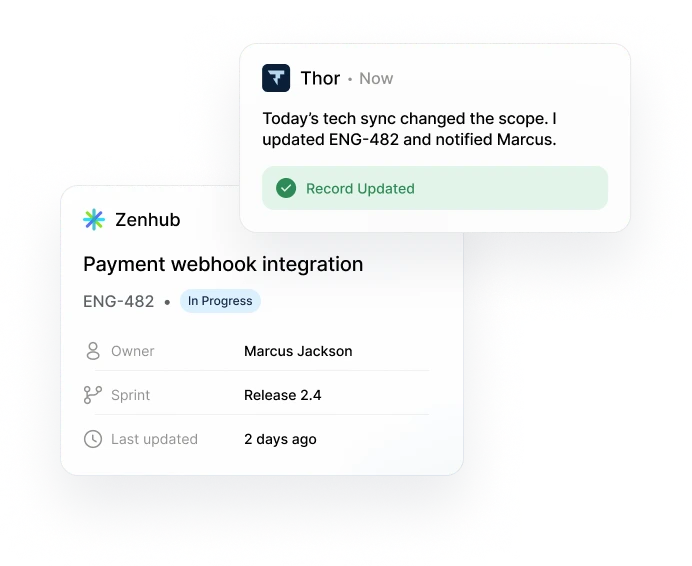
 Add payment webhook integration to handle successful payments to Stripe.

 Microsoft Teams
 Direct message
Plan and track work in GitHub
Zenhub brings boards, sprints, roadmaps and reporting right into GitHub, so planning lives next to the code.
 Start for free
Thor turns conversations into tracked work and keeps it moving, so your team can focus on building.
 Zenhub2026
 Thor
ThorWhy we built Thor
Coding agents made shipping fast, but coordinating work across Zenhub, GitHub, and the rest stayed slow. Keeping work organized matters more than ever, and no one can follow up on every meeting, ticket and conversation by hand.
What Thor does
It runs underneath the tools your team already uses, so work keeps moving without anyone chasing it.
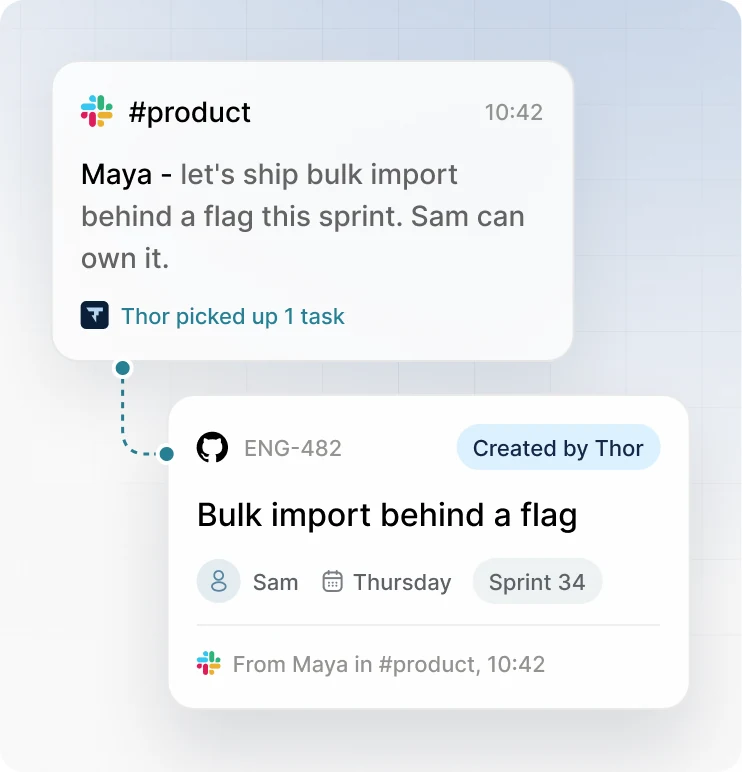
What your team says in Slack, meetings and GitHub becomes tracked work, without anyone writing it up.

Thor notices when work stops moving and follows up, so nobody has to chase people.
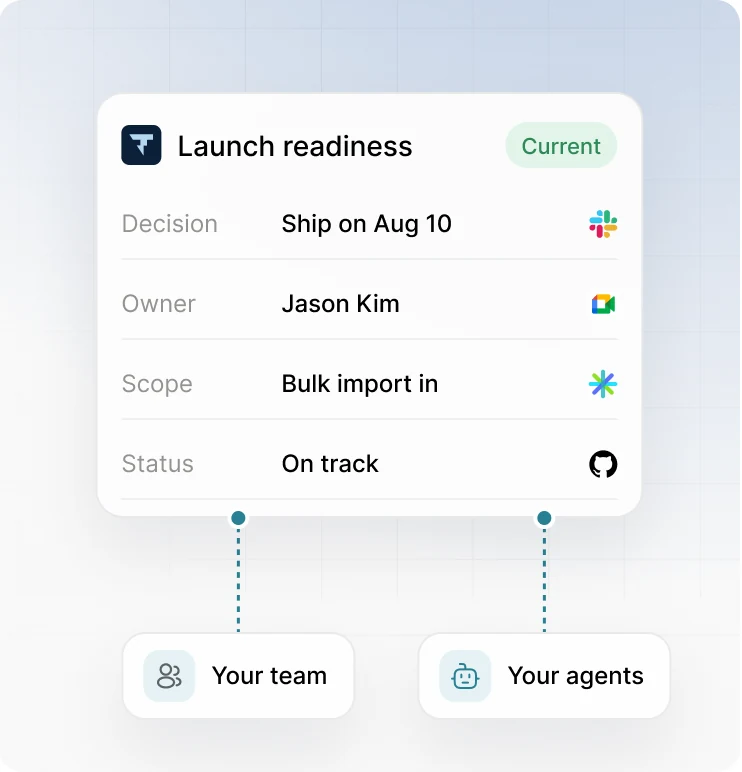
One up-to-date record of what’s been decided, so people and AI agents work from the same facts.
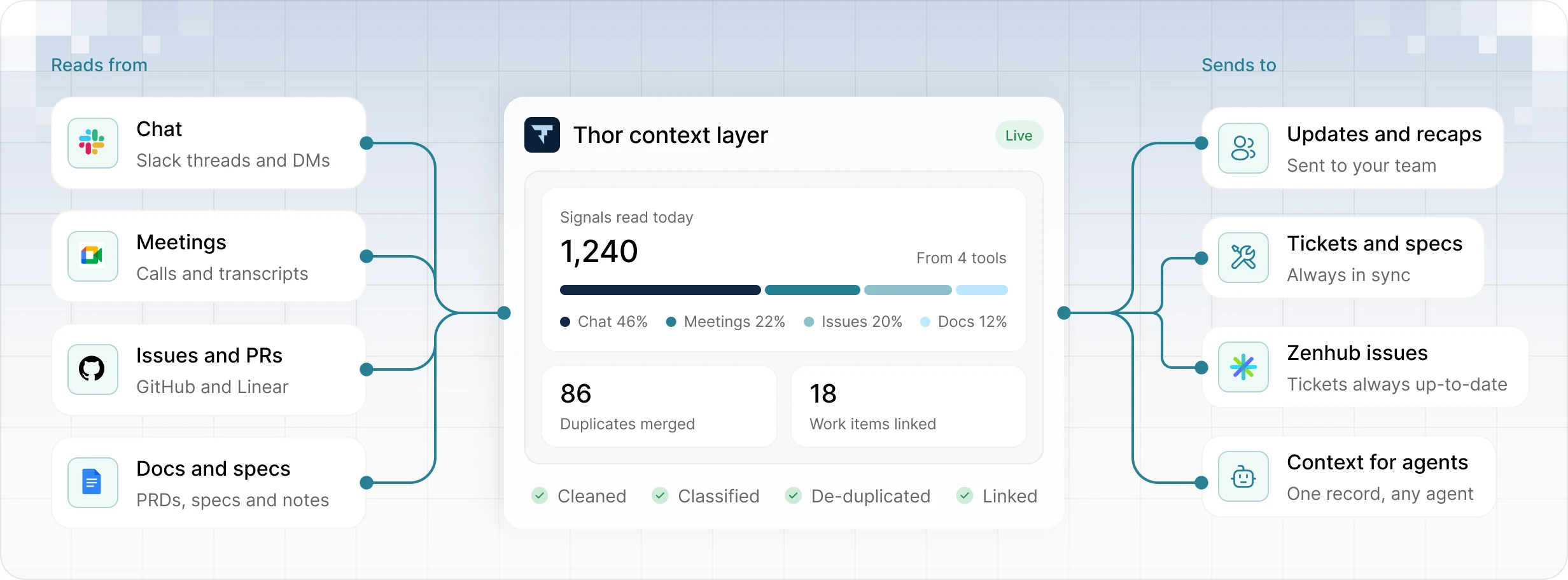
Thor connects your conversations, meetings, issues and docs, then sends clear, organized work back out.
Thor and Zenhub
Zenhub is where you plan and track work in GitHub. Thor sits underneath your tools and keeps that plan up to date with what’s actually happening.
Zenhub brings boards, sprints, roadmaps and reporting right into GitHub, so planning lives next to the code.
Start for free
Thor sits underneath Slack, meetings, GitHub and Linear, and keeps your plan in step with what the team actually decided.
 Get started with Thor
Thor isn’t a Zenhub feature. It has its own home at thor.ai.
Use Zenhub, Thor or both. Each one has its own account.
Thor was built by the team behind Zenhub.
Zenhub MCP
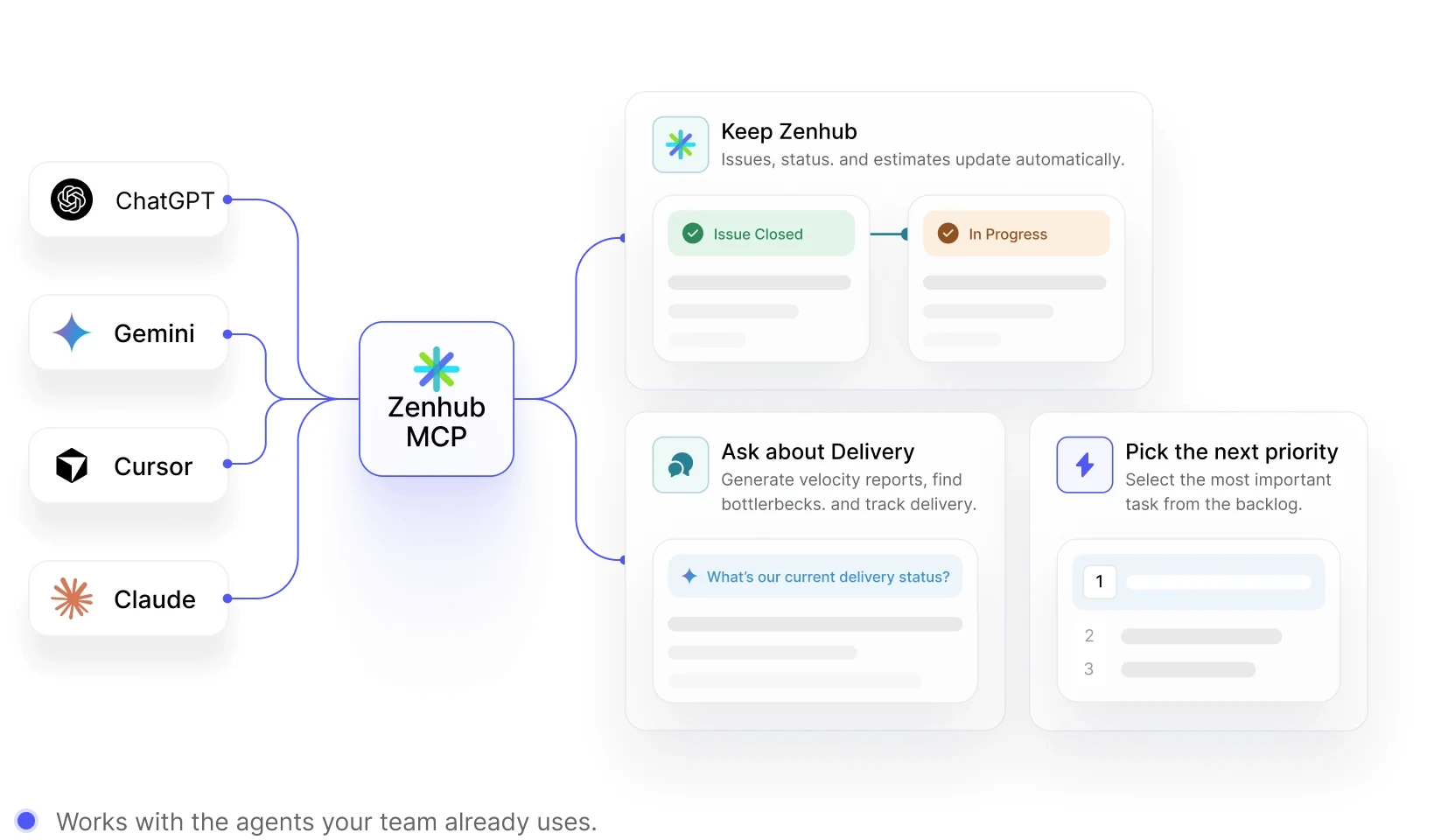
As work ships faster, Zenhub MCP keeps project data current and lets your agents move the next priority forward without manual updates or another report.

Suggests the right labels from each issue’s details.

Writes a summary of what your team finished each sprint.

Drafts acceptance criteria from your issue description.
Everything answered


Thor is a separate product from the team behind Zenhub. It turns conversations, meetings, and project activity into tracked work, then keeps that work moving. Zenhub remains where teams plan and track software delivery in GitHub: the two products can be used together or independently.
Thor captures the work that comes out of conversations, meetings, and day-to-day activity, and keeps it up to date. Zenhub is where your team plans, prioritizes, and tracks that work next to the code in GitHub. Used together, work Thor tracks shows up in Zenhub without anyone re-entering it.
Zenhub MCP is a Model Context Protocol server that lets AI agents read and update your Zenhub workspace. Your agents can look up issues, check status, and move work forward directly, so project data stays current without manual updates.
Zenhub MCP works with MCP-compatible agents and tools, including ChatGPT, Gemini, Cursor, and Claude. If your team already uses one of them, you can connect it to Zenhub without changing how you work. See the setup guide for the latest list of supported clients.
Yes. Connected agents can update issues, status, and estimates, and move work between pipelines as it progresses. They act with the permissions of the Zenhub account that connected them, so agents can only change what that person could change themselves.
No, we believe that it’s best to interact with Zenhub using the AI system you already use and love (like Claude, Cursor, Gemini, Copilot and ChatGPT). Give those agents access to the Zenhub MCP and they can act as your personal project manager, moving work forward.


See how Thor keeps work moving across the tools your team already uses. Use it with Zenhub or on its own.
